Page sizes that actually
fit your needs
Google Docs™ gives you a handful of page size presets. Size Matters gives you any size you want — down to the exact millimeter. Free, forever.
Everything you need. Nothing you don't.
Any page size, any dimensions
Set your document to any width and height you need. Values are applied directly to the document via the Google Docs™ API — no workarounds, no hacks.
Inches, centimeters, or points
Switch units at any time — your current values convert automatically. Your preferred unit is saved and restored every time you open the sidebar.
Standard size presets
Includes Letter, Legal, Tabloid, Executive, Folio, A3, A4, A5, B4, and B5 out of the box. You can also save your own custom presets by name for quick reuse.
Portrait & landscape
Switching orientation swaps your dimensions and correctly transposes your margins — so your left/right and top/bottom margins rotate with the page as they should.
Full margin control
Set all four margins independently, link them together so they all move as one, swap left and right for binding layouts, or apply printer-safe minimums (0.25 in) in one click.
Reset with a preview
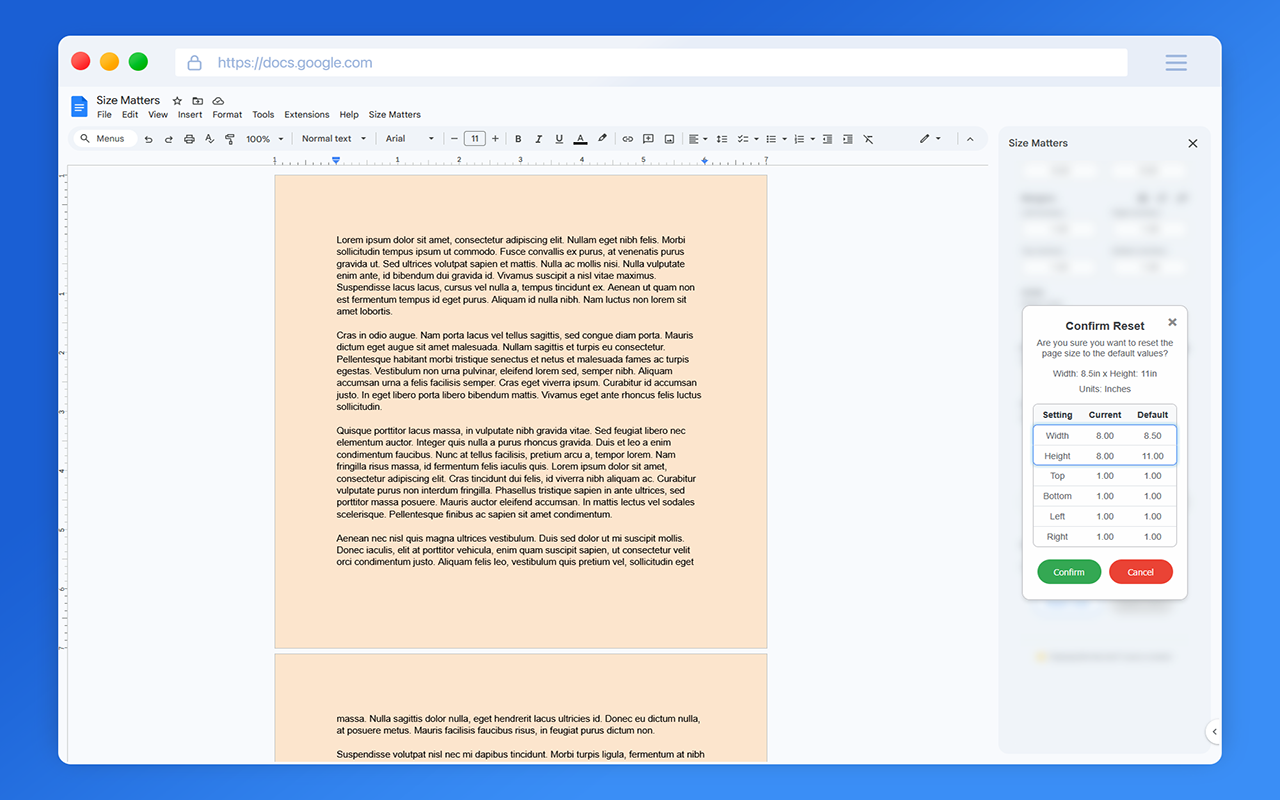
Before resetting, a comparison table shows your current settings against the defaults side by side — so you know exactly what's going to change before you confirm.
Full-featured color picker
An HSL gradient canvas with a hue slider, a smart hex input with autocomplete, and a palette of
80+ preset colors. Type a shorthand like #f0f
and it expands automatically.
Saved custom colors
Save up to 30 of your own colors for quick reuse. They persist across sessions and right-clicking any saved swatch lets you remove it.
Live aspect ratio preview
A small page silhouette updates in real time as you type dimensions, giving you an instant visual sense of your page's proportions before applying anything.
See it in action
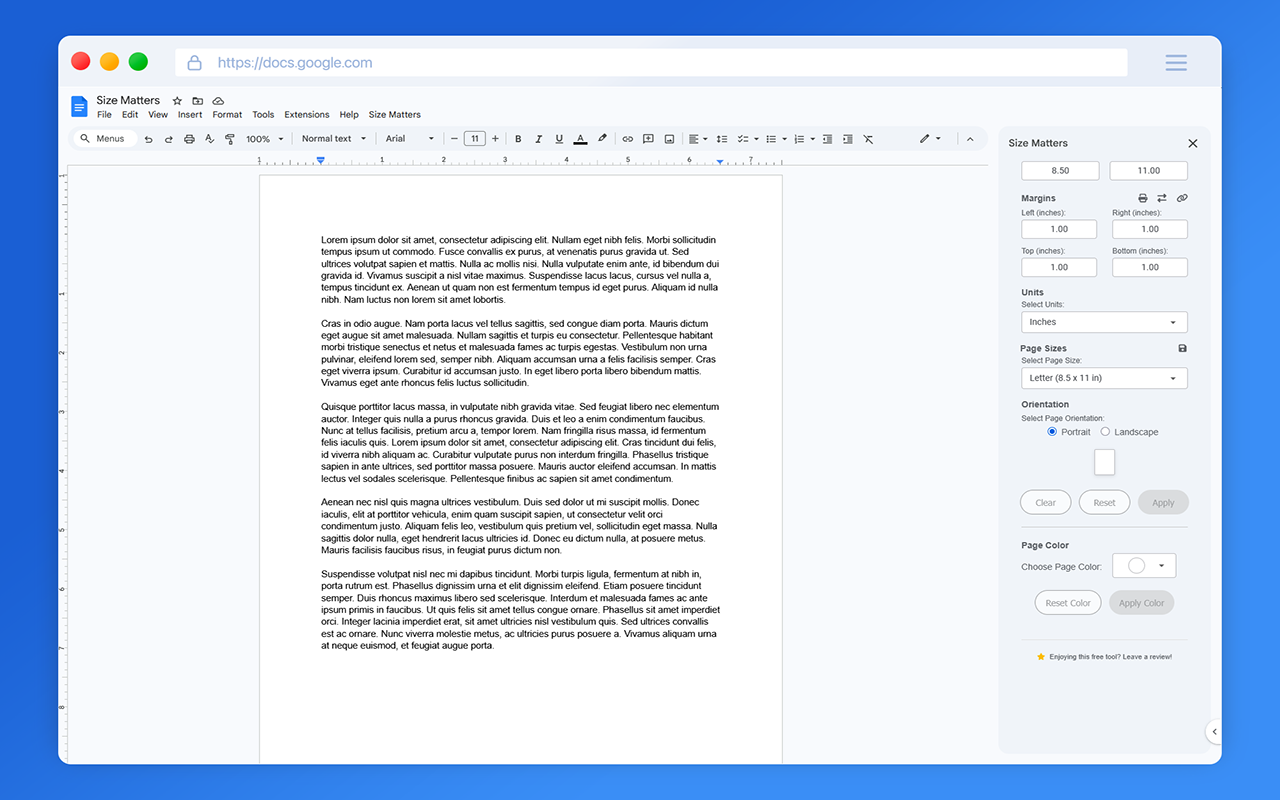
Full sidebar with dimension and margin controls
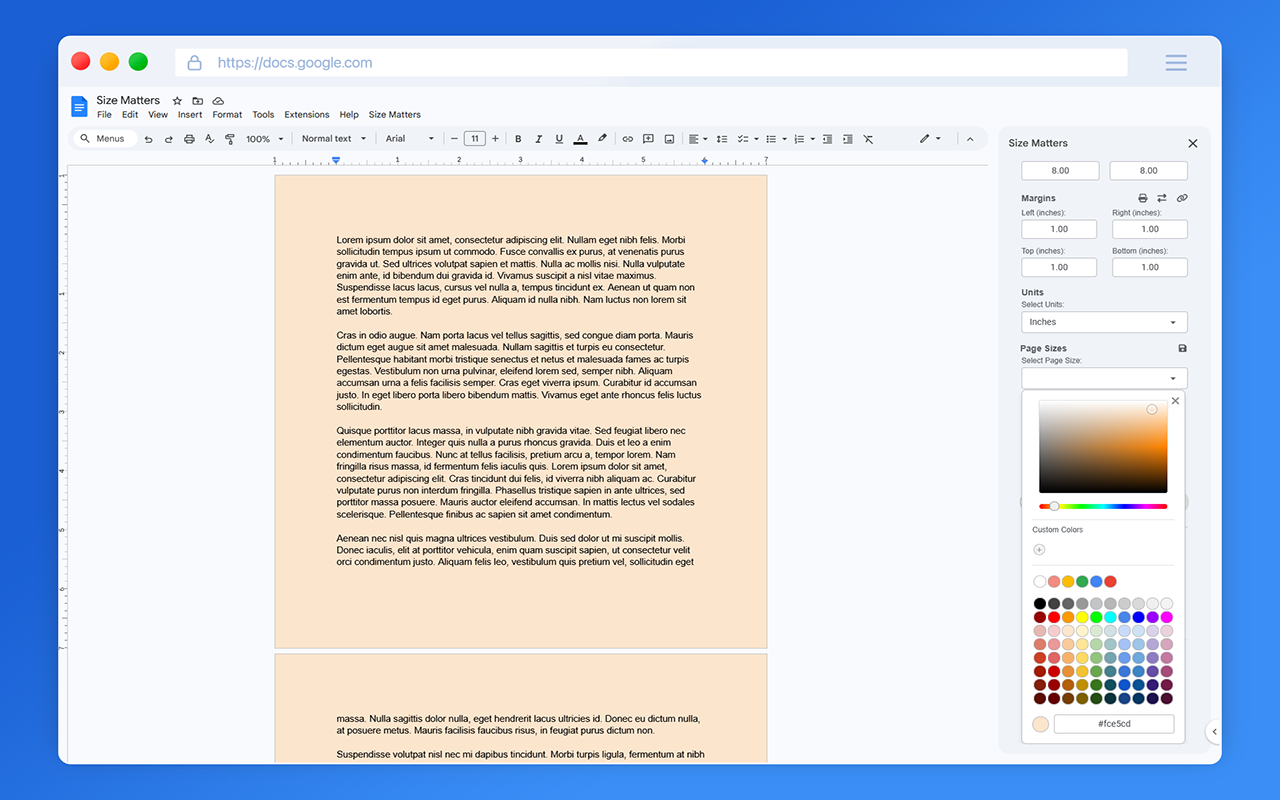
Custom page color with 80+ presets and a full HSL picker
Reset confirmation shows exactly what will change before you commit
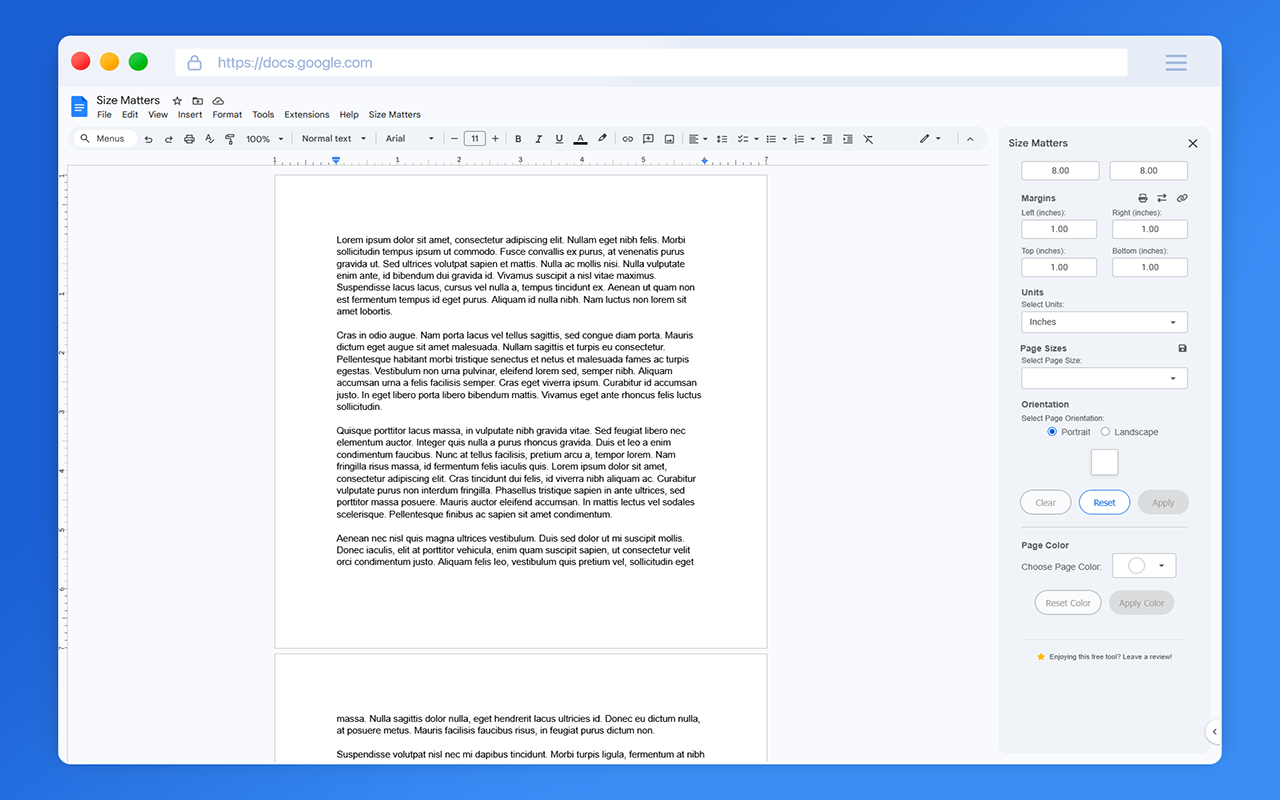
Square page format — because why not?